Secure the photos and any devices holding digital images, snap a quick inventory shot of the boxes as you find them, decide who has final say over keepsakes, and set fragile originals aside before anyone touches the rest of the cleanout. That's the whole job in one sentence. Here's the checklist to run through in the first hour:
- Keep original prints, albums, and slides separate from general clutter
- Take a few quick photos or video of boxes exactly as found
- Mark any box that looks like it holds photos with bright tape
- Lock phones, laptops, and external drives in a secure spot until someone can review them
Key Takeaways
Photos found during an estate cleanout require immediate securing, a fast three-box sort, digitization before division, and probate-ready documentation to prevent loss and family disputes.
| Point | Details |
|---|---|
| Secure first, sort second | Lock up devices and cloud access before anyone starts clearing boxes or discarding items. |
| Use the three-box method | Sort into Keep, Maybe, and Toss to avoid decision paralysis over a large collection. |
| Digitize before dividing | Scan originals first so every family member gets equal access to shared memories. |
| Document for probate | Track box ID, subject, date, and disposition decision for every photo lot handled. |
| Call in help when needed | Bereavement Cleanout Services offers donation-first sorting, insured handling, and a documented, probate-ready inventory for families across New Jersey. |
Table of Contents
- What To Do With Photos: The First Few Hours
- How Do You Sort a Lifetime of Photos Quickly?
- Should You Scan Photos Yourself or Hire a Service?
- How Do You Protect Fragile Original Photos?
- What Documentation Does Probate Require for Photos?
- What Should You Do With Photos You Don't Keep?
- When Should You Call a Professional Cleanout Service?
- What Families Actually Decide When It Comes to Old Photos
- Let a Documented, Donation-First Cleanout Handle the Rest
- Sources
What To Do With Photos: The First Few Hours
Run through this sequence before the cleanout crew moves anything else:
- Secure all photos and devices, including phones, laptops, external drives, and cloud login information, so nothing gets discarded or locked out of reach
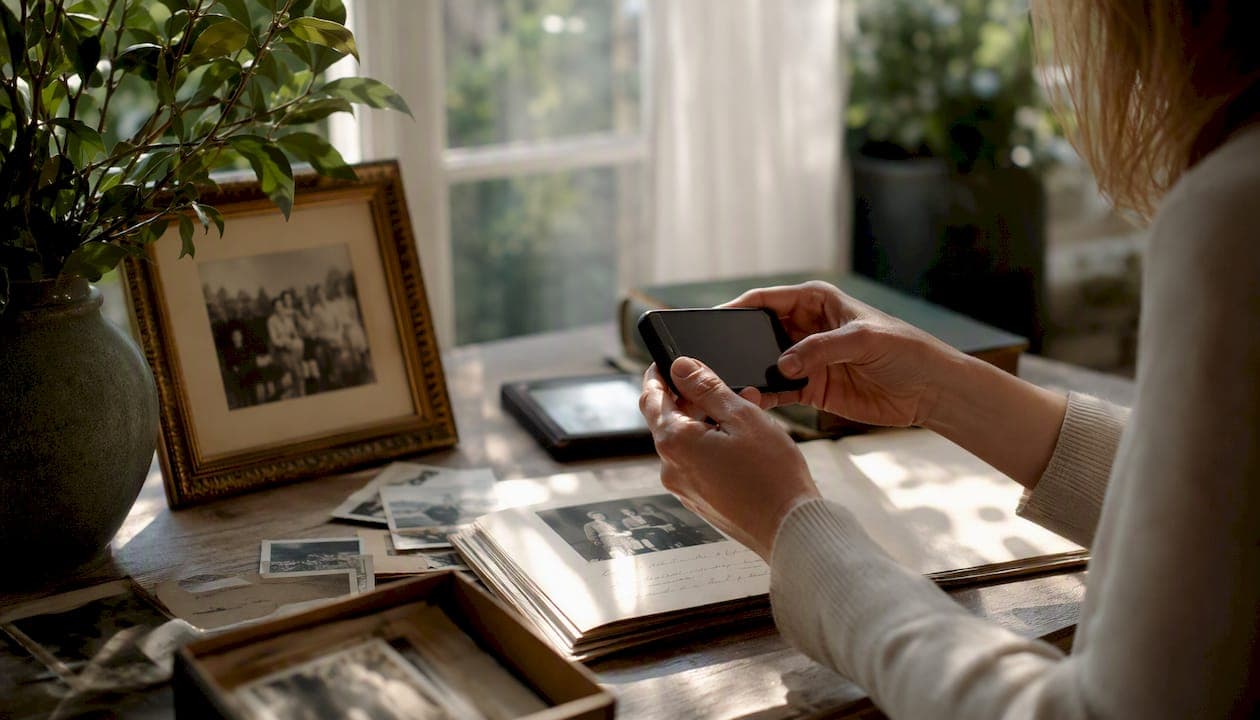
- Take wide-angle photos of each room and closer detail shots of photo boxes, albums, and framed pieces for a walk-through inventory
- Gather likely keepsakes, anything with faces, handwriting, or an obvious family connection, into labeled "Hold" boxes
- Write down who has final decision authority over the photos, whether that's an executor, a specific sibling, or the whole family together
Have gloves, acid-free sleeves, a permanent marker, and a charged phone on hand before you start. Executors handling a death in the family should also confirm access to any cloud photo accounts early, since passwords and two-factor logins can lock everyone out permanently.
Pro Tip: If you find handwritten captions on the back of prints or notes tucked into album pages, photograph them immediately with your phone before anything shifts or gets separated from the photo. Those notes are often the only record of who's in the picture.
How Do You Sort a Lifetime of Photos Quickly?
Use a three-box method: Keep, Maybe, and Toss. It's a widely recommended triage for exactly this situation, and it works because it forces a fast decision instead of endless deliberation over every single image.
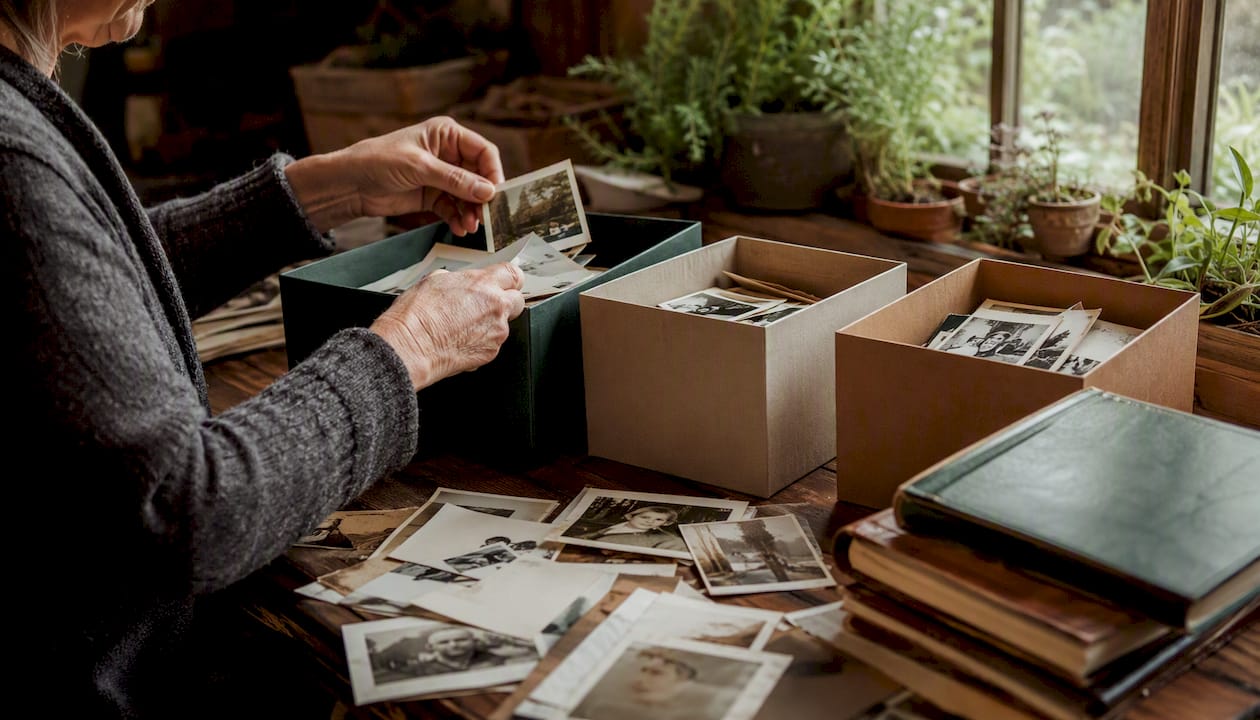
The Keep box gets anything with a clear person, a documented event, or a caption. The Maybe box holds photos you're unsure about, blurry shots, unfamiliar faces, duplicates worth a second look. Toss is for the truly disposable stuff: water-damaged negatives, dozens of near-identical vacation shots, or commercial prints with no personal connection.
Four rules speed up the sorting:
- People-first: photos of a spouse, parent, or child outrank scenery or strangers every time
- Provenance: anything with handwritten captions, dates, or official documents attached goes straight to Keep
- Uniqueness: if it's the only known image of a person or place, it stays, even if the quality is poor
- Event significance: weddings, military service, and milestone photos get priority over routine snapshots
For duplicates, keep the sharpest copy and let the rest go. Unidentified faces belong in the Maybe pile until an older relative can weigh in, since starting with older family members while they're available to identify names and dates saves enormous guesswork later. If you find sensitive or private images, set them aside and consult the decision maker before anyone else sees them.
Should You Scan Photos Yourself or Hire a Service?
DIY scanning makes sense for a small stack, maybe a few hundred prints you want quick copies of for immediate family. A flatbed scanner or a scanning app works fine at that scale. Once you're dealing with multiple boxes, slides, negatives, or home movies, a batch digitization service saves weeks of work and handles formats a home scanner can't touch.
For file quality, keep it simple: preserve the physical originals no matter what, and scan at a resolution that holds detail, a high-quality JPEG or TIFF for the master file, with a smaller JPEG copy for easy sharing. You don't need to master file formats to do this correctly. Just don't compress the only copy you'll ever make.
A basic workflow looks like this:
- Capture the image at a resolution that keeps detail intact
- Name the file with something searchable, not "IMG_4471"
- Add a few lines of metadata: who's in it, where, roughly when, and which box it came from
- Back up in two places, one local drive and one cloud folder
- Share digital copies with family members before dividing up the originals
A workable file name looks like Smith_JaneWedding_1962_Box3.jpg. For metadata, jot down who, what, where, approximate year, and source box ID in a simple spreadsheet next to the file name.
Pro Tip: Digitizing before you divide originals is often the fairest approach for families, since it means every relative can have the same memories without arguing over who takes the physical print. Digital copies solve the ownership problem before it starts.
If you hire a professional digitization service, ask about turnaround time, per-image or per-batch pricing, and their return policy for originals. A trustworthy service should never keep your prints longer than necessary or charge you for images they can't return.
How Do You Protect Fragile Original Photos?
Handle prints and albums with clean, dry hands, or cotton gloves if you have them, and always lift by the edges. Skip the tape, skip the lamination, and never force a stuck album page open.
For short-term storage, use these materials:
- Acid-free, archival photo sleeves or boxes
- Buffered paper interleaving between loose prints
- Flat, stable storage for albums and framed photos, never stacked upright where spines can crack
Heat, direct sunlight, and moisture degrade photo emulsion faster than almost anything else, so a hot attic or a damp basement is the worst place to stage boxes during a cleanout. Treating physical photos as sentimental assets rather than clutter to clear out fast means resisting the urge to toss anything before the family has had a chance to look through it. A local organization system, like the storage solutions from One Day Doors & Closets, can also help once photos are sorted and need a permanent home.
What Documentation Does Probate Require for Photos?
An executor's inventory should track more than "box of old photos." Build a simple spreadsheet with these fields:
- Box ID and photo ID number
- Physical description (print, slide, album page, framed piece)
- Apparent subjects and any handwritten captions
- Estimated date and current storage location
- Disposition decision and who authorized it
For photo evidence, two shots per area usually cover it: a wide-angle room shot showing context, plus a detail shot of anything valuable or disputed. A typical three-bedroom home can require 200 to 400 photos to document baseline condition properly, and that same habit protects photo collections from later claims that something went missing.
- Date every inventory entry as you make it, not after the fact
- Photograph hand-offs when items move between family members
- Record every distribution decision in writing, even informal ones
Pro Tip: Keep original captions and album pages intact wherever possible. That handwriting is often the only provenance a photo will ever have, and it can matter more to probate than the image itself.
What Should You Do With Photos You Don't Keep?
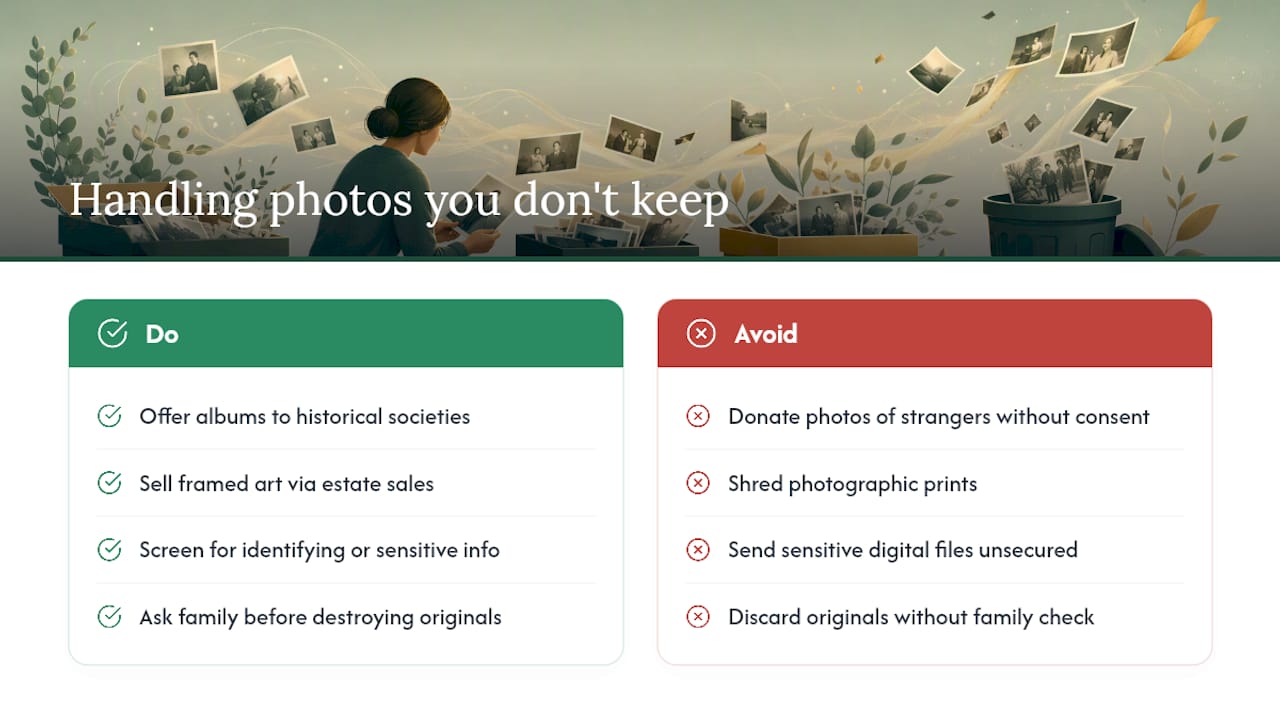
Local historical societies and veterans' groups often want original albums tied to community events or military service, but decline anything with identifiable strangers unless there's a clear public interest. Estate sales work well for framed art, signed prints, or genuinely rare images with resale value; routine family snapshots almost never belong there.
Before donating or discarding anything, screen for personally identifying information, financial documents, medical images, or anything that shouldn't end up in a stranger's hands. Shredding works for paper documents but isn't ideal for photographic prints; a secure destruction service is a better option for sensitive digital files or explicit images. Always check with family before destroying an original, even one nobody wants, since regret shows up faster than you'd expect once something's gone for good.
When Should You Call a Professional Cleanout Service?
A few thousand photos, mixed media like slides and home movies, a contested estate, or a tight deadline before a sale or eviction are all clear signals to bring in help. So is simply running out of emotional bandwidth. Sorting a parent's photos alone at 11 p.m. isn't sustainable, and it doesn't need to be.
A compassionate cleanout service should offer donation-first sorting, a probate-ready documented inventory, insured and discrete handling, and estate photography with online inventory access, along with a broom-clean handoff when the job's done.
Expect a walkthrough and a firm quote before work starts, with costs typically driven by volume, per-box or hourly labor, and separate digitization pricing per image or batch. Ask about turnaround time for returned originals.
Run this five-minute test:
- Is there more than a weekend's worth of sorting involved?
- Are family members in disagreement or unavailable to help?
- Does the property need to be cleared on a deadline?
Two or more "yes" answers usually mean it's time to call someone in. Background on what professional cleanout crews typically handle and document can help set expectations before that first call.
What Families Actually Decide When It Comes to Old Photos
Most families don't fight over every photo. They fight over the two or three that matter to everyone at once, usually a wedding portrait or a photo of a parent as a child. The common resolution: digitize everything, then let one person keep a small shared album while everyone else gets full digital access.
Sibling disagreements ease up once there's a documented process instead of a verbal argument. Write down who wanted what and why. When the decedent's wishes were known, honor them plainly. When no agreement is possible, document the dispute rather than letting it fester unresolved.
Let a Documented, Donation-First Cleanout Handle the Rest
Bereavement Cleanout Services gives you something a solo weekend of sorting can't: a probate-ready inventory built by people who do this work daily, so nothing gets lost or misplaced when emotions run high.

During a walkthrough, ask specifically for donation-first sorting, insured and discrete handling, estate photography with online inventory access, and confirmation that any photos or personal items get returned to the family rather than swept into a general haul-away pile. A typical first visit ends with a firm quote and a documented plan, not guesswork.
Serving families across New Jersey, the team treats every keepsake with the same care they'd want for their own family's photos. If you're staring down boxes you don't have time or bandwidth to sort alone, request a walkthrough and quote and get a documented plan in hand before the cleanout goes any further.
Sources
- Tips for Inheriting a Family Photo Collection – Estate Planning & Elder Law Services
- Protecting Photos After a Death | Photo Scanning & Digitization Blog | ScanMyPhotos
- Home Contents Inventory Checklist: Photos, Categories, And Proof - Executor Checklists