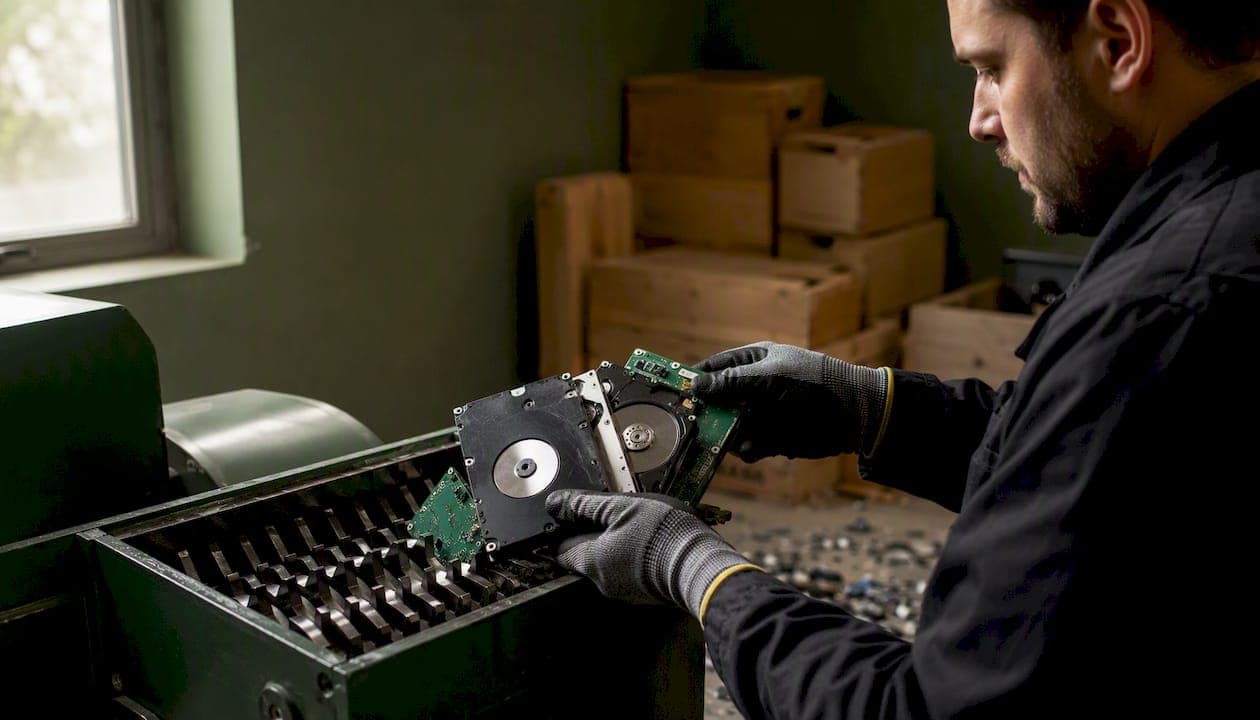
For most people, the safest immediate choice is certified on-site or off-site shredding for dead drives, failed SSDs, or anything that held highly sensitive data, and a verified firmware-level Secure Erase or cryptographic erase with a documented certificate for functioning drives. Both approaches align with NIST Special Publication 800-88, the U.S. standard that defines three sanitization tiers (Clear, Purge, Destroy) and specifies what documentation a defensible program requires. Any vendor you hire should be able to name their method, map it to one of those tiers, and hand you proof before you leave.
If you have a few personal drives:
- Back up anything you need, note each drive's serial number, then choose a NAID-certified local provider for shredding or run a verified ATA Secure Erase on a functioning HDD and request a written confirmation.
If you're a small business retiring an inventory:
- Inventory every asset by serial number first, classify drives by sensitivity, and require a Certificate of Destruction (COD), a chain-of-custody manifest, and a written reference to NIST SP 800-88 from any vendor before signing off.
Three proof items to demand from any vendor, immediately:
- Certificate of Destruction (COD) listing each device's serial number, the destruction method used, and the date
- Chain-of-custody manifest showing every transfer point from your hands to final destruction
- NIST SP 800-88 or equivalent reference confirming the method maps to Clear, Purge, or Destroy
Pro Tip: Ask the vendor which NIST tier their method satisfies before you schedule pickup. A vendor who cannot answer that question clearly is not ready for compliance work.
Key Takeaways
Certified physical destruction paired with a serialized Certificate of Destruction is the most defensible approach to secure hard drive disposal for any drive that held regulated, sensitive, or unknown data.
| Point | Details |
|---|---|
| Inventory drives first | Log every drive by serial number before it leaves your hands or a property. |
| Match method to drive type | Use verified firmware Secure Erase for functioning HDDs; choose shredding or pulverization for SSDs, dead drives, or regulated data. |
| Demand a serialized COD | Any COD must list individual serial numbers, the NIST-mapped method, and the vendor's certification numbers. |
| Know your compliance context | HIPAA and NIST SP 800-88 both require documented destruction; a COD and chain-of-custody manifest satisfy audit requirements. |
| Bereavementcleanoutservices | Integrates drive inventory, certified destruction coordination, and COD documentation into estate cleanouts across New Jersey. |
Table of Contents
- How do the main disposal options compare?
- How does each destruction method actually work?
- What certifications and documentation should you require?
- What do secure disposal services cost, and how do you prepare?
- How do you choose a certified provider and spot red flags?
- How Bereavementcleanoutservices handles secure drive disposal during estate cleanouts
- What I've seen in estate cleanouts, and why documentation matters
- Bereavementcleanoutservices integrates secure disposal into every estate cleanout
- Sources
How do the main disposal options compare?
Choosing the right path depends on your volume, sensitivity level, and whether you need witnessed destruction. The four main pathways each carry different trade-offs.
| Option | Best for | Method | Certifications | Proof provided | Cost shape | Turnaround |
|---|---|---|---|---|---|---|
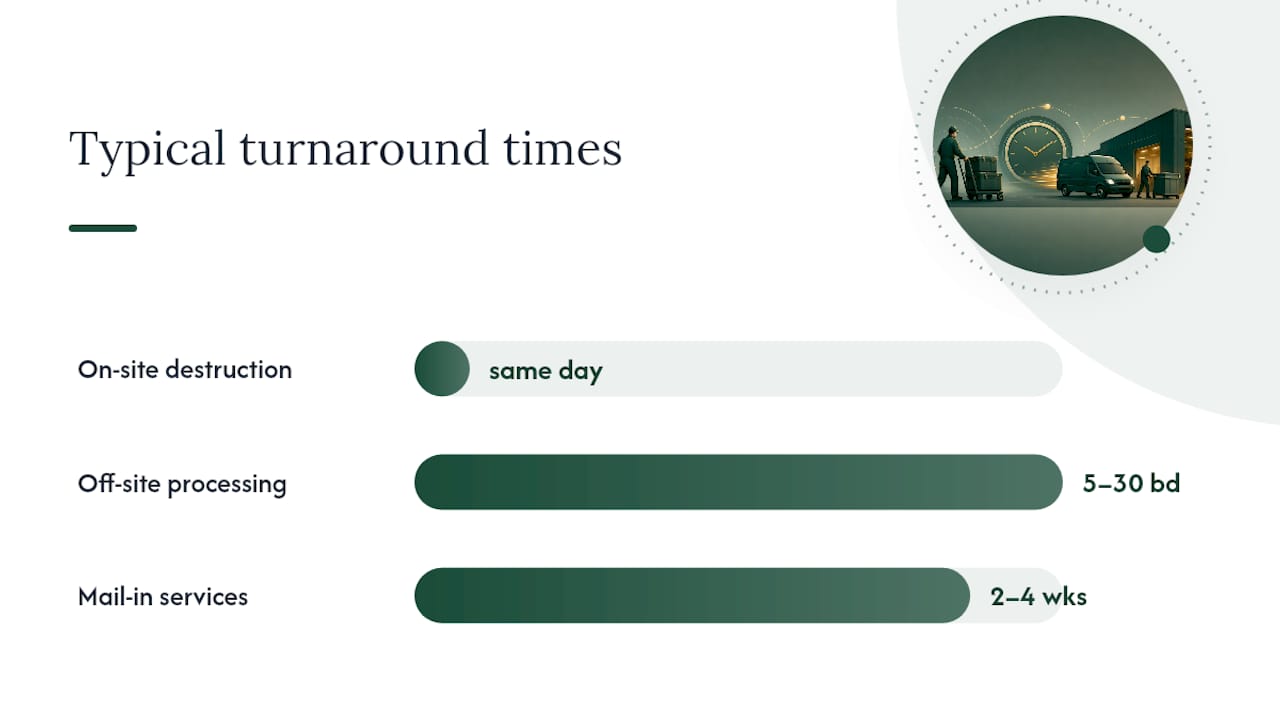
| On-site shredding | Businesses, healthcare, estate cleanouts | Industrial shredding at your location | NAID AAA, R2, e-Stewards | COD, serialized log, chain-of-custody | Per-drive or per-box; minimums vary | Same day; witnessed |
| Off-site/warehouse shredding | Small businesses, moderate volumes | Shredding at certified facility | NAID AAA, R2, e-Stewards | COD, manifest | Per-box or per-pallet; lower per-unit cost | 5–30 business days for COD |
| Mail-in service | Individuals, a few drives | Shredding or secure wipe at facility | NAID AAA (varies by provider) | COD mailed back | Flat box fee; per-drive add-ons | 2–4 weeks for certificate |
| DIY secure wipe | Functioning HDDs, low-sensitivity data | Firmware Secure Erase, DBAN, cryptographic erase | None (self-documented) | Self-generated log; no third-party COD | Free to low cost | Immediate |
On-site shredding gives you witnessed destruction, which is the strongest compliance position. You see the drive destroyed, and the COD is generated on the spot. The downside is cost: on-site services typically carry minimum fees that make them less practical for a single personal drive.
Off-site shredding costs less per unit and suits businesses retiring a batch of equipment. The trade-off is that you surrender custody before destruction, so chain-of-custody documentation becomes critical.
Mail-in services work well for individuals with a handful of drives. Providers like Shred-it offer structured programs, but verify that the provider issues a serialized COD, not just a generic receipt.
DIY wiping is appropriate only for functioning HDDs holding non-sensitive personal data. It produces no third-party certificate, which disqualifies it for HIPAA, PCI-DSS, or any regulated environment.
One-line recommendations:
- Single personal drive, functioning HDD: DIY Secure Erase with a logged verification, then R2-certified recycling
- Estate cleanout with mixed devices: Off-site or on-site shredding through a NAID-certified provider with COD added to estate paperwork
- Small business retiring inventory: Off-site shredding with serialized logs and chain-of-custody, mapped to NIST SP 800-88
How does each destruction method actually work?
Understanding what makes data unrecoverable, not just "deleted," is the difference between real security and false confidence.
Software wiping for HDDs
A single-pass overwrite is sufficient sanitization for modern HDDs. The magnetic domains on a platter are overwritten with new data, and recovery by any known forensic method becomes infeasible. Tools like DBAN (Darik's Boot and Nuke) automate this process for HDDs and produce a log you can save as your verification record. DBAN is a reliable, widely used option for consumer and small-business HDD wiping, but it does not support SSD Sanitize commands and should not be used on flash-based media.
Why SSDs are different
Standard overwriting fails on SSDs. Wear-leveling algorithms and over-provisioned storage areas mean that some data blocks are intentionally skipped during a normal write cycle, leaving residual data in sectors the OS cannot directly address. The correct approach is to use the drive's own firmware commands: ATA Secure Erase for SATA SSDs or NVMe Sanitize for NVMe drives. Cryptographic erase (deleting the encryption key on a self-encrypting drive) also provides a strong guarantee when properly implemented and verified. All three require procedural proof: a logged verification, device metadata check, and sometimes a vendor firmware tool to confirm completion.
When an SSD is dead, unreadable, or held highly sensitive data, physical destruction is the secure fallback. Shredding SSDs to 2mm particles is the recommended standard for guaranteeing irretrievability at the physical level.
Physical destruction methods
- Shredding: Industrial shredders reduce drives to small fragments. Particle size matters. The UK's National Cyber Security Centre recommends 6mm or smaller for many disposal scenarios; for SSDs and flash media, 2mm is the more protective target.
- Crushing and shearing: Mechanical presses deform platters and circuit boards beyond readability. Effective for HDDs; less reliable for SSDs unless combined with shredding.
- Degaussing: A strong magnetic field scrambles the magnetic structure of HDD platters and tape media. Degaussing does not work on SSDs because flash memory stores data electrically, not magnetically. A properly degaussed HDD cannot be recovered by any known means, but the drive is also permanently non-functional afterward.
- Pulverization: Reduces media to powder-level particles. Used for the highest-sensitivity classified environments.
NIST SP 800-88 maps these methods to three tiers: Clear (overwrite, suitable for reuse), Purge (firmware Secure Erase, degaussing, cryptographic erase), and Destroy (shredding, pulverization, incineration). The tier you need depends on the sensitivity of the data and the intended disposition of the media.
A note on DIY physical methods: Drilling, hammering, or submerging a drive in water are not reliable sanitization methods. Drilling may damage some platters but routinely misses sectors, and water does not erase magnetic or electronic data. These approaches produce no verifiable proof and fail any compliance audit.
Pro Tip: When a vendor claims they shred SSDs, ask specifically for the particle size in their process documentation. "Shredded" without a size specification could mean fragments large enough for partial data recovery.
What certifications and documentation should you require?
Certifications tell you a vendor has been independently audited. Documentation tells you what actually happened to your specific drives. You need both.
Key certifications and trust signals
- NAID AAA Certification (from the National Association for Information Destruction): the most recognized credential for data destruction vendors in the U.S. NAID AAA requires unannounced audits, employee background checks, and verified destruction processes. It is the baseline to require for any business or regulated-environment destruction.
- R2 Certification: confirms responsible downstream recycling practices. An R2-certified provider has been audited for how they handle materials after destruction, reducing the risk of e-waste being exported without controls.
- e-Stewards Certification: a higher-standard recycling credential that prohibits export of hazardous e-waste to developing countries and requires data security controls throughout the chain.
- Facility security controls: GPS-tracked transport vehicles, locked containers during transit, camera monitoring inside destruction facilities, and employee screening are operational trust signals that complement certifications.
Certified providers map their methods to NIST tiers, log serial numbers, and issue CODs that support compliance with HIPAA, PCI-DSS, and other frameworks.
What a Certificate of Destruction must contain
A COD is only useful if it is specific. Required fields:
- Device make, model, and serial number for each unit
- Destruction method used, with the corresponding NIST tier (Clear, Purge, or Destroy)
- Date and location of destruction
- Technician name or ID and vendor signature
- Vendor's certification numbers (NAID, R2, or e-Stewards as applicable)
A chain-of-custody manifest documents every transfer point: who received the drives, when, how they were transported, and who performed the destruction. Together, the COD and manifest form an auditable record.
Compliance context
HIPAA requires covered entities to ensure protected health information is destroyed or rendered unreadable, with documentation supporting audit requirements. A COD tied to a NIST Purge or Destroy method satisfies that documentation standard. For PCI-DSS and GDPR, the same COD and chain-of-custody records serve as evidence in vendor risk assessments and cyber-insurance renewals.
What do secure disposal services cost, and how do you prepare?
Cost ranges vary by volume, method, and whether you need on-site service. Here are realistic benchmarks for U.S. providers.
Typical cost shapes:
- Mail-in box programs: Flat fees for a prepaid box holding a set number of drives, typically covering shredding and a mailed COD. Pricing varies by provider and box size; check current rates directly with NAID-certified vendors.
- Per-drive shredding (drop-off or pickup): Per-unit fees apply at many certified facilities, often with a minimum charge for small quantities.
- Per-box or per-pallet (business volumes): Volume pricing for businesses retiring larger inventories; per-unit cost drops significantly at higher quantities.
- On-site witnessed destruction: Carries a service call fee plus per-unit charges. Higher total cost, but you receive a same-day COD and eliminate custody transfer risk.
Turnaround guidance:
- On-site witnessed destruction: same day, COD issued before the technician leaves
- Off-site facility processing: COD typically returned within 5–30 business days depending on provider and volume
- Mail-in services: allow 2–4 weeks from drop-off to certificate receipt
Preparation checklist before pickup or drop-off:
- Inventory every drive by make, model, and serial number before it leaves your hands
- Complete any backups and verify them independently
- Remove drives from devices or store them in labeled, sealed totes
- Do not mix drives with other electronics unless the vendor explicitly handles mixed loads
- Request a chain-of-custody receipt at the moment of transfer, not after
- Confirm in writing what documentation you will receive and when
- If witnessing destruction on-site, ask in advance what the process looks like and how long it takes
Pro Tip: R2 or e-Stewards certified recyclers handle materials responsibly after destruction, but many recyclers do not erase drives before processing. Always confirm data destruction is part of the service, not just material recycling.
How do you choose a certified provider and spot red flags?
A short checklist of questions cuts through vague vendor claims quickly.
Questions to ask any provider:
- Are you NAID AAA certified? Can you provide your current certificate number?
- What is your shredding particle size for HDDs? For SSDs?
- Which NIST SP 800-88 tier does your method satisfy?
- Do you issue serialized Certificates of Destruction listing each drive's serial number?
- What does your chain-of-custody process look like from pickup to destruction?
- Are your transport vehicles GPS-tracked and locked?
- Who handles downstream recycling, and are they R2 or e-Stewards certified?
- What is your COD delivery timeline?
Red flags that should disqualify a provider:
- Vague destruction descriptions ("we securely dispose of your drives") with no method specifics
- No serialized COD, or a COD that lists only drive counts rather than individual serial numbers
- No chain-of-custody documentation
- Recycling-focused firms that cannot demonstrate data destruction as a separate, documented step
- No answer on particle size for shredding
- E-waste exported without controls or downstream recycler certifications
Decision rule of thumb: If you are an individual disposing of a functioning HDD that never held regulated data, a verified software wipe plus R2-certified recycling is a reasonable and environmentally responsible choice. If the drive is dead, an SSD, or held any regulated data (health records, financial data, employee PII), physical destruction through a NAID-certified provider is the right call, regardless of volume.
How Bereavementcleanoutservices handles secure drive disposal during estate cleanouts
Estate cleanouts present a specific challenge: devices are often mixed in with household items, their contents are unknown, and families are rarely in a position to inventory electronics themselves during a difficult time. A documented process matters here more than almost anywhere else.
Service flow for drives found during a cleanout:
- All electronic devices are identified and separated during the initial sort
- Each drive is logged by make, model, and serial number before it leaves the room
- Clients choose between on-site witnessed destruction (coordinated with a certified vendor) or sealed, labeled transfer to a NAID-certified destruction facility.
- The resulting COD is added to the client's final paperwork, alongside estate documentation for probate purposes
What families should tell the cleanout team:
- Whether any household member worked in healthcare, finance, or a regulated industry
- The location of home office equipment, external drives, old laptops, or NAS devices
- Any known passwords or encryption status (helpful for verified wipes on functioning drives)
- Whether they want to witness destruction or prefer a documented transfer
Documentation to request for probate or audit:
- COD for each destroyed drive, with serial numbers
- Chain-of-custody manifest covering transfer from the property to the destruction facility
- Vendor certification numbers (NAID, R2, or e-Stewards)
When a drive might be reusable and held only personal, non-sensitive data, a verified firmware wipe and donation to a local nonprofit is a responsible and environmentally sound option. When the drive's contents are unknown, or when it came from a home office with any regulated data, physical destruction is the default. The cost of a shred is far lower than the cost of a data breach, and families deserve the peace of mind that comes with a documented certificate.
What I've seen in estate cleanouts, and why documentation matters
Estate cleanouts are rarely just about furniture and boxes. Families are often surprised by how many devices turn up: old laptops in closets, external drives in desk drawers, USB sticks tucked into filing cabinets. Most of them have never been wiped, and their contents are genuinely unknown.
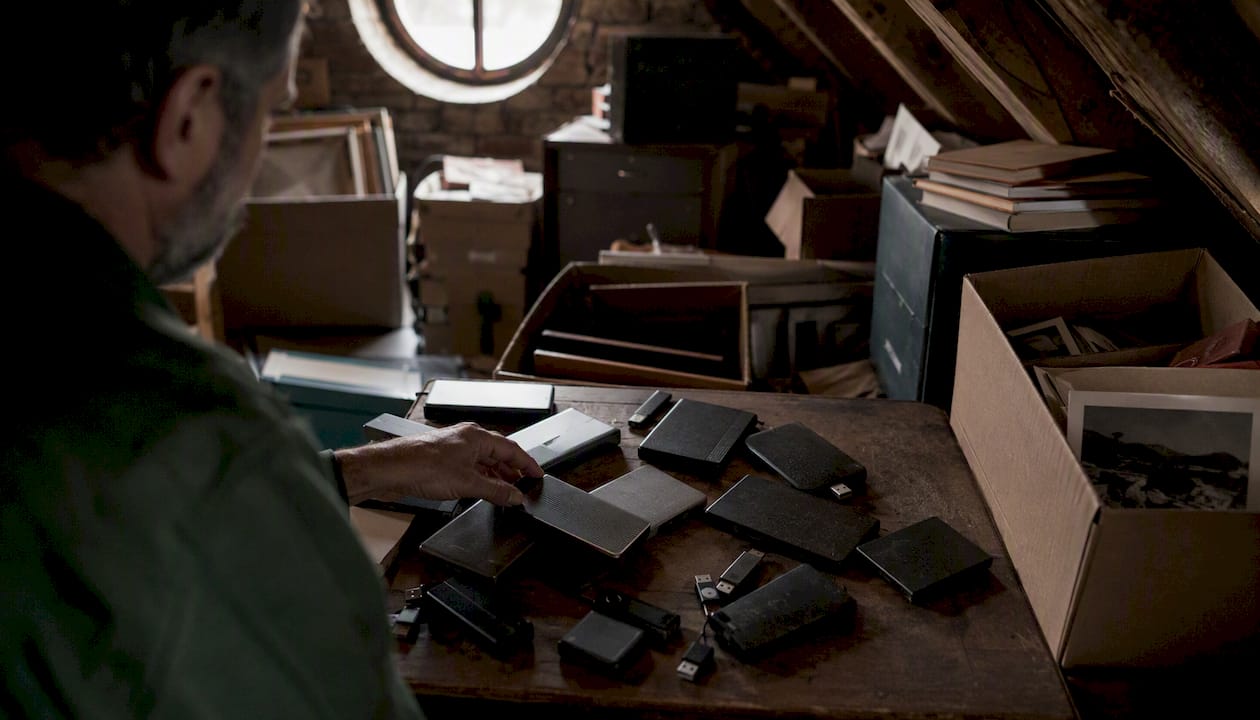
The families I work with are not thinking about data security when they call. They are thinking about grief, logistics, and getting through an overwhelming process with their dignity intact. That is exactly why the documentation piece matters so much. A Certificate of Destruction is not bureaucratic paperwork. It is proof that a private person's private information was handled with the same care as everything else in that home.
Timelines are usually manageable. On-site witnessed destruction can be coordinated for the same day as a cleanout. Off-site CODs typically come back within a few weeks. Families can be as involved as they want, or they can trust the process and receive the paperwork at the end.
What I would tell anyone in this situation: do not let a drive leave without a serial number on a manifest. That one step closes the gap between "we think it was destroyed" and "we have proof."
Bereavementcleanoutservices integrates secure disposal into every estate cleanout
When a family in New Jersey calls Bereavementcleanoutservices for an estate cleanout, secure handling of electronic devices is part of the workflow, not an afterthought. The team inventories drives by serial number, coordinates transfer to a NAID-certified destruction vendor or arranges on-site witnessed shredding, and adds the resulting Certificate of Destruction to the client's final documentation package.

That COD becomes part of the estate record, useful for probate, for family peace of mind, and for any compliance questions that arise later. Clients who want to witness destruction can request that option at estimate time. The service is fully insured, and every step is documented.
If you are managing a loved one's estate and want to know that every device is handled with care and accountability, contact Bereavementcleanoutservices to discuss secure-handling options during your estate cleanout consultation.
Sources
- NIST Special Publication 800-88 Revision 2 (Final)
- How to Wipe a Hard Drive Before Recycling (2026) | DriveWipe
- Secure Hard Drive Destruction Services | Shred-it USA
- HIPAA | HHS